Skip to content

Tricky DOORS 9.3.0.7/RPE Bug with DOORS Tables

  • by

Friday was not a fun day for me. I had to troubleshoot a bizarre issue with Rational Publishing Engine. Anyone who has worked with RPE knows that while it’s a very good tool, troubleshooting document errors is a long process that can absolutely test every ounce of patience you have.

The issue in this particular case was that in certain modules, an extra heading would be added to a table. This did not happen in every module, which seems to point to not being an issue with the RPE template (a .dta file) but rather with the data of the table itself. The problem was that the tables appeared to be identical!

Reproducing The Problem

I’ve been able to replicate the problem in Word 2010, DOORS 9.3.0.7 and DOORS 9.4, and RPE 1.1.2.2. Here’s what to do.

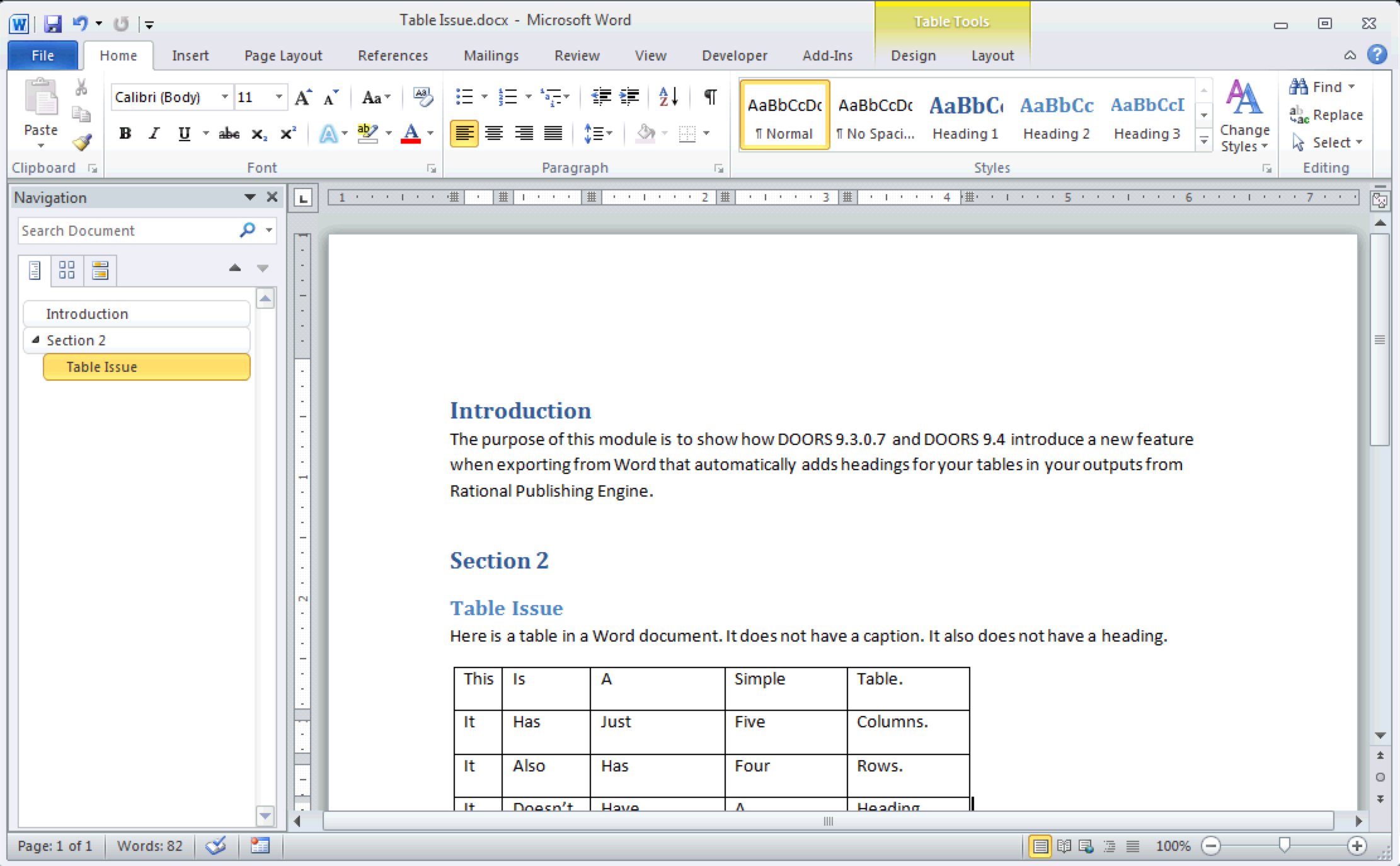
Create a new Word Document. Put a table in it. Here’s what I did. You can click the number next to each photo for a fullsize view.

Export from Word to DOORS

Initial Word Document
]1 Initial Word Document with Tables
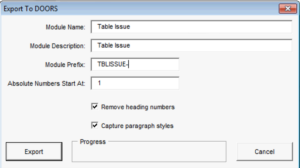
Exporting to DOORS
]2 Exporting to DOORS
New DOORS Module
]3 New DOORS Module based on Word Document

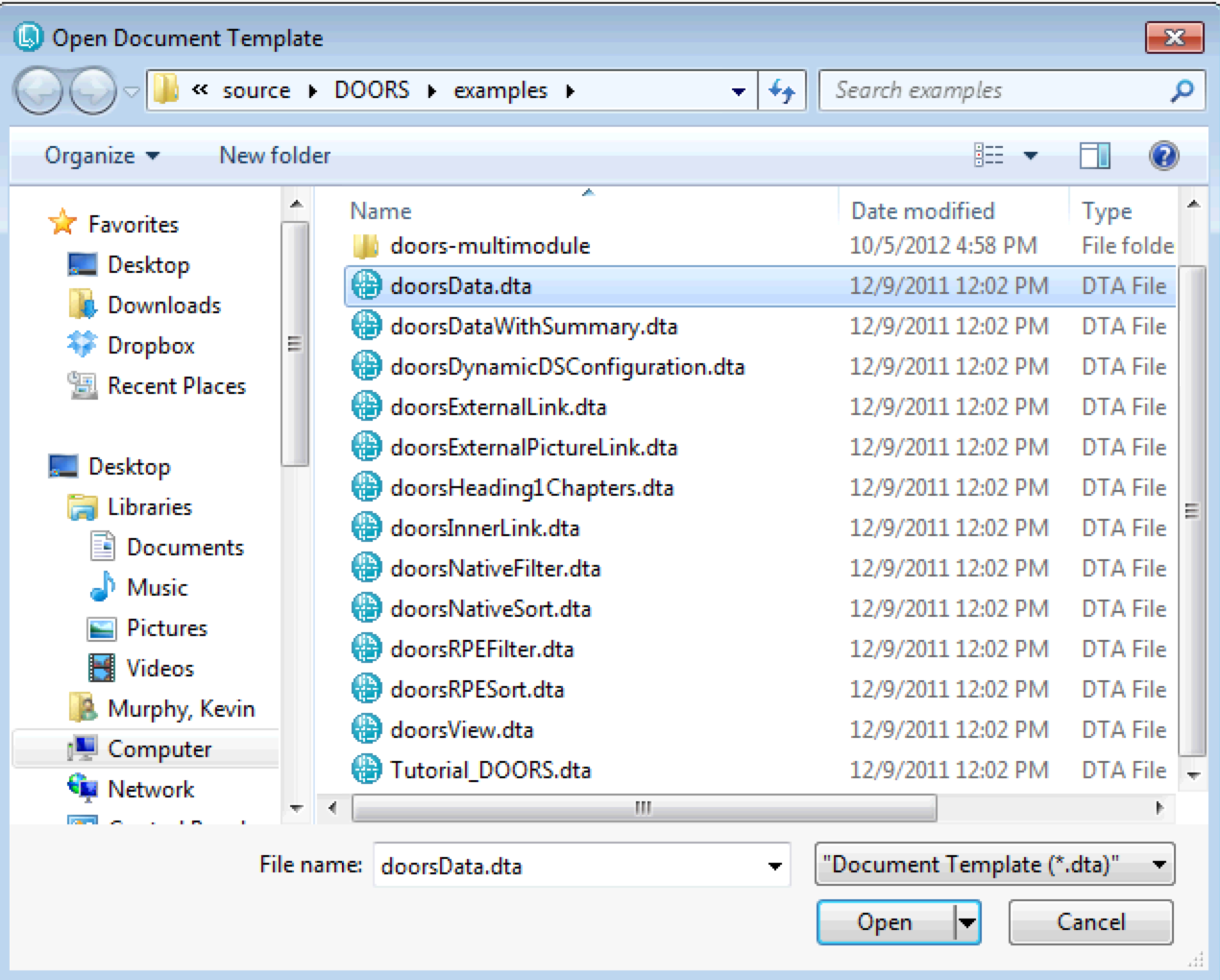
Okay, everything so far looks good. Let’s export with RPE. I’m going to use the doorsData.dta file that comes with RPE just for demonstration purposes.

doorsData.dta
]4 doorsData.dta

Let’s do an export and look at our output.

Extra Table Heading!
]5 Where did that Table Heading Come From?

The red arrow shows an erroneous heading! What’s going on here? I didn’t put that there. Those italicized Table captions comes after each table, and that’s controlled by the .dta file.

Troubleshooting The Problem

I could write lots of paragraphs here boring you with everything I tried. I’ll tell you this to speed things up: I tried multiple .dta files and multiple DOORS modules and the results appeared consistent between modules. What I mean is, one module would consistently output table headings and one module would consistently not output table headings, regardless of the .dta file used to export. Strange indeed. I’d look at random table cells in each table and they all looked identical.

I know what might work! Inserting a DOORS Table into a module that was behaving like this. So that’s next.
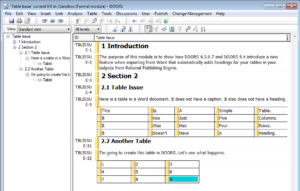
Creating another DOORS Table.
]6 Creating another DOORS Table.

Now we export again and check the results.

A tale of two tables.
]7 A tale of two tables.

Ok, so it’s not a module-by-module basis, it’s a table-by-table basis on which this error occurs! I’m stumped. The only thing I know for sure here is that it is not a .dta problem. It appears that tables captured from Word documents behave this way, while tables created in DOORS don’t.

I talk this problem over with a colleague and she tells me that there are other modules that are exhibiting this behavior. She did a little research and ultimately determined the problem.

DOORS Tables (Suck)

If you are a religious person, and you use DOORS, you must believe that DOORS Tables are a tool of the devil. When I train people in DOORS, I explain that having tables in modules is not just a DOORS issue, it’s a requirements management issue. Tables can make it easy to digest information, but they can also obscufate requirements. Is each cell a requirement? Each row? A combination of rows? The entire table? Since the purpose of requirements management is to make requirements clearer, tables go against the very nature of effective requirements.

Over a decade ago, Telelogic had a problem. DOORS did not support tables. Their clients were demanding table support, so some designer came up with the idea to “hack” DOORS objects and make tables consist of these hacked DOORS objects. Each DOORS table has an “invisible” table header object, and each row has an invisible row object. Why did I put the first “invisible” in quotes? Well, because you actually can see these invisible DOORS table header objects, under the correct circumstances. How?

Click View->Show->Table Cells. It’ll likely be checked when you see it in the menu. Clicking it will uncheck this option.

How to view invisible table headers
]8 How to view invisible table headers

Ok, now that you’ve done that, you’ll see objects that appear to have a Heading of > > Table. Like so:

Invisible Table Headers!
]9 Invisible Table Headers!

So now that we can see these table headers, I can now get to the properties of the invisible table headers. TBLISSUE-6 represents the table where the problem is showing up. I right-click the object and choose Properties and am presented with this!

Here's the problem!
]10 Found the problem!

This table header object has an Object Heading of Table! Where did it come from? The Microsoft Word export process now sets the Object Heading of each invisible DOORS Table Header object as “Table”, thus putting a bug into every single RPE template that deals with DOORS data!

The only way I can think of to fix this, for sure, 100% of the time, without affecting data in any of your modules is to remove this Object Heading from each DOORS table exported from Word. What a pain! But let’s do that and see what happens.

Problem solved, for now.
]11 Problem solved, for now.

Thoughts

I wasted almost an entire work day trying to troubleshoot and solve this issue. I’m not very happy about this, and am posting here in order to help others who may encounter the same issue. This fix was not at all obvious and even the problem occurs sporadically.

I read the release notes for each DOORS release I implement and I either completely missed this change to DOORS or more likely, this change was not documented. It’s also angering, because as a user, if I want to put Object Headings on my invisible Table Headers then I will do so. Also, the latest RPE sample files do not reflect this change, as demonstrated, so in my opinion, the DOORS developers introduced a bug into RPE!

Even more frustrating is that I’ve entered PMRs and RFEs for DOORS behavior that I believe are outright bugs and they get ignored outright or I have to justify changing them because of how much they cost my clients. Yet stuff like this happens with no warning and my clients eat the cost of me and others trying to figure out what’s happened here.

Friday I announced on this site that Baselines Incorporated is now an authorized reseller of IBM Rational Software. I stated that I would ensure that the content of this site along with my opinions would not be affected by us selling IBM Rational DOORS and Rational Publishing Engine and the like. The bad news is that this bug exists at all, but the good news, for me anyway, is that I got to prove that I am a man of my word.

I sincerely hope this article helps people save some time in the future and that IBM fixes this issue in a soon-to-be-released future release. In the mean time, a PMR/SR has been entered and I am engaging my IBM representatives about this horrible change.


DOORS – What’s New and Next

  • by

Disclaimer

This is my recap of the presentation IBM representative made along with my opinions. While my opinions should always be taken as gospel, you should still realize that they are indeed my opinions. Keep that in mind.

Introduction

Presentation began discussing that “System of Systems.” Chevy Volt is used as an example of something that is a “System of Systems” but that most people don’t consider to be a “System of Systems”. I disagree with this–because the audience in this room definitely knows that an automobile is a system of systems. 

This kind of padding doesn’t seem to happen in other Rational presentations about what’s new, at least the ones I’ve been to. 

New Releases

DOORS 9.4 and DWA 1.5 are out TODAY!

New Features of DOORS 9.4

  • HPQC 11 is now supported for DOORS/Quality Center integration.
  • RIF has been updated to latest version of ReqIF.
  • Authentication has been moved from the client to the DOORS server
  • New integration between Rational Quality Manager (which was very badly needed. I’ve been told it was re-written completely from scratch). It’s now fully based on OSLC. No RQMI is needed. This is a big deal for a number of reasons.
  • Custom RPE .dta files can be used within the RPE that is included in DOORS! I hope this works as I expect it to!
  • Shareable edit has more options
  • 128 columns can now be in a view
  • Rich Text Export to Excel (I wonder what other improvements to the Excel script have been made)
  • Import multiple attributes from another module in one action

All of this sounds really good. I can’t wait to get my hands on the implementation.

They also showed a slide dealing with future enhancements but it was high-level and vague. I don’t put a lot of stock into these because they change big time.

It’s freezing in this room.

Push to Jazz and OSLC

They are still referring to DOORS as being a Web Client and a Rich Client, and they show that the Rich Client will run DXL. But they are still pushing to go Jazz-based. My guess is that they will only continue the Rich Client as an interface to run DXL. I, for one, think DXL needs to go away, but understand how angry the customer base would be if it were completely removed. (DXL was never intended to run the millions of lines of code that are out there. No one likely ever envisioned that one company would have hundreds of thousands of lines of custom DXL code.)

The DOORS Next Generation Client looks a bit different–bigger headings. The web side looks more like RTC and RQM with a “document view” if that makes sense. It even has the Jazz “Home” button.

One of the attendees asked about RDS vs. the classic DOORS user/group admin capabilities when moving to Web-based in the future. This guy says he has “tens of thousands of users” that will say no to an RDS/LDAP-based user/group admin. While I prefer the classic mode as well, I cannot imagine why this guy has so many users that care.

Migration

They appear to be setting the stage for DOORS to DOORS-Next Migration to be selective and concurrent. Migrations can be gradual and selective. Will not be all-or-nothing. I believe they don’t want to do this, but they know that they will lose a lot of customers if they don’t. Too bad. When Apple abadoned OS9 for OSX, they did have classic mode for years, but they didn’t continue to develop classic. Imagine if Apple had to actively develop OS9 due to their customer complaints…do you think the iPhone would exist as it does?

“We continue to invest in DOORS 9.4, and we will continue as long as we can see into the future…”

Sometimes it’s best for the axe to fall quickly. Actually, that’s always best.

“Will DOORS Next require new licenses?” someone asked. The intention is DOORS Next Generation capabilities will be included in DOORS V9 licenses. So you could use any mix of DOORS 9 and DOORS Next Generation licenses at the same time. However, running DOORS 9 and DOORS NG on the same computer will take two licenses.

DOORS 9.4 Demo

The main thing they say they’re going to demo is the RQM integration. Because it’s based in OSLC, it actually improved the DOORS/RTC integration. I find it interesting that they are going to demo this as I have a hunch that most people in this room do not use RQM (I was the only one that I know of that had used RQMI).

And the demo had problems. The “pop-up preview” that IBM loves so much in their Jazz-products did not work from DOORS.

It’s a refrigerator in here.

The DOORS Rich Client filter window now has an External Links tab, and you can now filter by External Link type. This is how to find out which objects have links to say, RQM, or eventually RTC, or anything else. It’s kind of like defining a link module for External Links. RQM links will be “Validated By” or something.

RQM task assignment can be done with from inside DOORS. 

When Richard Watson completed the demo, the audience applauded.

DOORS Next Web Client Demo

For large modules, a pop-up preview appears to the left of the module  as the user scrolls. This is awesome. Very nicely done! It’s UI stuff like this that I feel that IBM Rational constantly ignores, at least as far as DOORS goes.

There’s still too much hovering and clicking. You can hover over a comment icon to see how many comments there are, then click to see comments. I’d like to see a more “Facebook-like” comment display system.

You can actually filter by levels just like in DOORS. This makes navigation easier as well.

Comments in DOORS Next replace Discussions in DOORS 9.

Speaking of UI, IBM needs to get away from these meaningless little icons. I don’t know how to fix this problem, but I’m looking at many of these icons and not knowing what they do at all. 

I think the DOORS NG Rich Client needs to focus on a better looking user presentation. Work those fonts. Notice how huge the headings are and how tiny the text objects are. 

That being said, the DOORS NG Rich Client is obviously very young. Lots of standard functionality missing (the File menu has three items, and views have just been implemented.) 

DOORS NG looks more spreadsheet like with the way columns and editing works. This is good. Still looks like a UI from 10 years ago though. That is, as opposed to 20. Progress.

Questions

This is just a summary. I did not verbatim transcribe the Qs and As.

“How much admin work is there in migration, assuming DOORS 9 and DOORS NG are both set up?”

In this release, IBM is careful to not to call Data Interoperation, “Migration” It’s not moving data from one place to another–it’s not moving history and baselines. Therefore, admin work is not much. They don’t want flat data structure to flat data structure.

“Rich client doesn’t have option to run DXL script. Is this planned?”

First release of DOORS NG won’t have DXL scripts capability. But it is something we’re looking at in the future.

“How can we make sure that we’re working towards your solution and not against it when we do implement DOORS Next?”

One of the long-term strategic goals of DOORS Next is to solve that problem, but we don’t have an answer yet. It’s too early. Talk to us. This is a bigger issue amongst all Rational ALM applications, not just in Requirements Management.

“What about DOORS CPS/DOORS Change and DOORS NG?” There are 3 integrations between DOORS and Change Systems…they won’t have the Requirements Change Management (where requirements are version controlled) this year.

“What’s the plan for Focal Point/DOORS Integration?”

OSLC will allow us to do this academically and theoretically. We haven’t looked at Focal Point yet but it’s on our backlog. It may actually be done, but we haven’t qualified it and tested it. 

In DOORS Next, there is an RRC/FP integration but it hasn’t been tested in DOORS Next. It should work the same, in theory.

“When do you use RRC vs. DOORS?” RRC doesn’t have concept of modules. Modules will be added to RRC. DOORS Next and RRC will look the same. DOORS Next will have all features, and RRC will have some features.

“Will DOORS Next have a relational database”?

Yes

“Can you get data out of DOORS Next with RPE?”

Yes. You can import/export with ReqIF too.

Introducing Serpent

  • by

Serpent is a web-based launcher for Rational Publishing Engine and DOORS.

Rational Publishing Engine is a good tool with some drawbacks. The main one is  that it has to be installed on a user’s machine in order for that user to generate a document with it! This is unacceptable to me as a DOORS administrator, so I created Serpent.

Introducing Serpent

Kevin Murphy

Chat with us!

Work with an IBM Champion to master your ELM tools.

Get in touch