Skip to content

Our Site Has Finally Leveled Up!

  • by

We are excited to launch our new digital home. Baselines Inc. remains committed to providing the elite IBM Engineering Lifecycle Management consulting you trust, now with a streamlined experience to help you find the information you need.

If you have any problems at all downloading files or signing in, do not hesitate to contact us.

Rubber Stamp Requirement Approvals in EWM

  • by

In Systems Engineering, “Rubber Stamping” is usually a bad thing, but when it comes to tool automation, it’s a lifesaver.

If you use DOORS Next Change Sets, you’ve likely run into the constraint requiring an “Approved” Work Item in EWM to deliver. The problem? EWM doesn’t care if the status is “Approved”; it wants a formal record in the Approvals tab. This creates a manual bottleneck for teams doing offline reviews or using integration tools like IBM Integration Hub Planview (Tasktop).

In this video, I demonstrate a custom EWM plugin I built that acts as a “Rubber Stamp” bot. It automatically triggers a formal approval the moment a Work Item hits a specific state.

What we cover:

  • The difference between “Status” and “Formal Approval” in EWM.
  • Why DOORS Next Change Set deliveries get blocked.
  • A walkthrough of the Auto-Approval Plugin (Web UI — there is an Eclipse version as well).
  • How this enables seamless automation with IBM Engineering Integration Hub or other automations that interact with the EWM REST API.

See RPE PUB’s True Colors

  • by

In this IBM Engineering Tool Tip, IBM Champion Kevin Murphy shows how turning on a pretty buried feature in the Publishing Engine Eclipse Client can help make template development much easier.

The Hidden DXL Menu

  • by

In this Engineering Tool Tip focused on IBM DOORS Classic, Kevin reveals a hidden menu for DXL code authors hidden deep within the bowels of DOORS.

Even with messed up camera settings Kevin comes through with another time saving tip!

Visit https://www.baselinesinc.com for more information about our services in support of IBM Engineering Products. For licensing quotes, demos, or follow-ups contact sales@baselinesinc.com

Redact Your REQIF

  • by

In this Engineering Tool Tip focused on IBM DOORS Next, Kevin shows how to send create REQIFs from modules filtered by a view.

The best thumbnail to a youtube video Kevin has ever made.

Filmed from #ibm #TechXChange2024 !

Major shout out to our friends at Requisis!

Visit https://www.baselinesinc.com for more information about our services in support of IBM Engineering Products. For licensing quotes, demos, or follow-ups contact sales@baselinesinc.com

DOORS Next Can Do That?!

  • by

In this IBM Engineering Tool Tip video, I go over a feature that exists in DOORS Next that is hidden. It lets you see extended information about the other side of an RM link. In fact, while making this video, I found they added yet another feature IBM added to this feature that I didn’t even know about! Check it out to level up your DOORS Next mastery!

Don’t Say My Port Name

  • by

This is a long #short about the annoyance of putting a port in your IBM Jazz Team Server URI, with a couple of old TV show references to boot. You don’t have to have a port in your URI, and not removing it at setup has long term, permanent consequences.

Mary Had Ambiguous Requirements, Whose Text Was Hard To Know

  • by
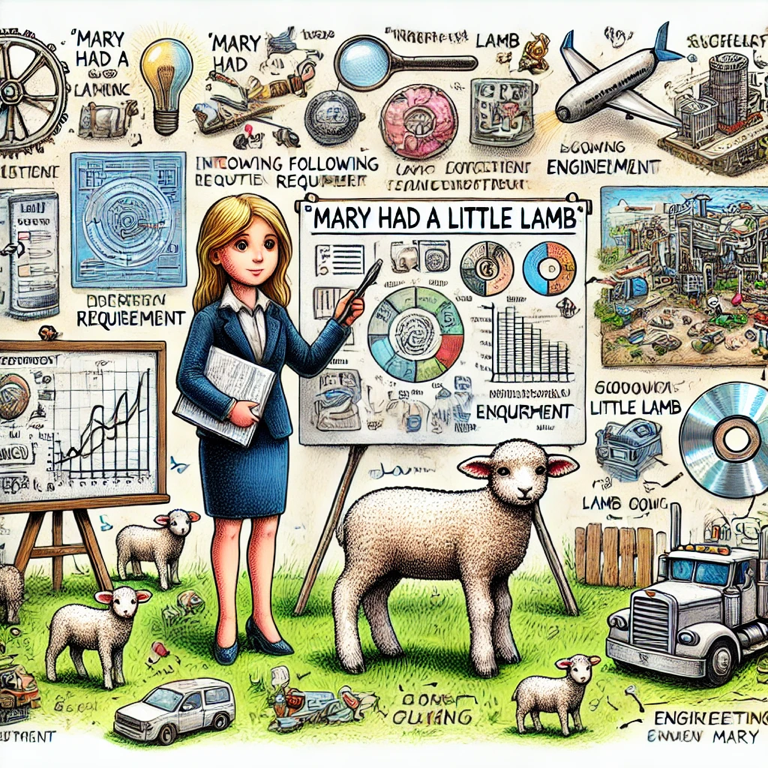
Mary breaks down the requirements of her lamb to her business audience.

In the world of engineering, clarity is king. No matter what you’re working on, the way you communicate requirements can make or break the success of the entire effort. 

A great example that I often refer to is “Mary Had a Little Lamb.” It’s a simple example, hearkening back to childhood, but it’s powerful in illustrating how easily things can go awry with vague or ambiguous requirements.

How do you interpret “Mary Had a Little Lamb”?

At first glance, this statement seems straightforward, but let’s break it down. Depending on who’s reading it, this simple sentence could be interpreted in several very different ways:

  • Mary owned a small lamb: Most people might initially assume that this means Mary had possession of a lamb that was small in size.
  • Mary consumed a lamb: Did Mary eat lamb for dinner?
  • The lamb was small only at a specific time: Maybe the lamb was little only during the time Mary had it, but it grew later.
  • Mary was followed by a lamb: If we’re being poetic, perhaps the lamb followed Mary around and not just to school one day. (Pro tip: Don’t be poetic when writing requirements.)
  • Mary gave birth to a lamb: In some contexts, “had” could imply that Mary gave birth to the lamb, which introduces a whole different scenario.

The Engineering Context

When you’re writing engineering requirements, this kind of ambiguity is the last thing you want. Imagine if each member of your team interpreted a requirement differently—one builds a system to own a lamb, another builds one to eat it, and a third builds it to follow someone around. The result? Chaos, rework, and a lot of wasted time and resources.

“Mary Had a Little Lamb” underscores the importance of being specific, detailed, and clear in your requirements. In engineering, there is no room for assumptions or vague language. What might seem obvious to you could be interpreted in entirely different ways by others.

Avoiding Ambiguity in Requirements

To avoid the pitfalls that our friend Mary encountered, here are a few strategies for writing clear engineering requirements:

  • Use precise language: Words like “little,” “some,” or “often” can be open to interpretation. Be specific with quantities, sizes, and timelines.
  • Avoid ambiguous terms: Replace words that can have multiple meanings with more explicit terms. Instead of saying “She had a lamb,” say “Mary owns a lamb that weighs 20 pounds (with +/- 2 oz. tolerance if that’s acceptable, of course).”
  • Clarify assumptions: Don’t assume everyone has the same background knowledge. Spell out any assumptions that could affect understanding. Using the Terms feature in DOORS Next to create a dictionary for your project is a great way to avoid problems down the line.
  • Provide context: If a requirement cannot be understood by itself, ensure it’s completely understood when viewed as part of a traceability matrix. Requirements Management tools like DOORS and DOORS Next can really help ensure that the related context up and down the Systems Engineering V is always visible to users. 
  • Can you test it?: What would the steps for testing whether Mary did indeed have a little lamb be? Writing a proposed test and working backwards from the test steps could not only help your requirements be written better, but considering testing from the start could affect the entire design of your system. Plus, your testers will thank you for involving them early and often, leading to a more cohesive team.

The Takeaway

“Mary Had a Little Lamb” is a simple reminder that in engineering, the devil truly is in the details. When requirements are clear and unambiguous, teams can align more easily, work more efficiently, and ultimately, deliver better results. So, the next time you’re drafting a requirement, remember Mary and her lamb—and make sure there’s no room for misinterpretation.

Clear communication is the foundation of success, whether you’re managing a small project or complex system. Let’s ensure our engineering requirements are as precise as our engineering itself.

How to Tell If Your IBM Jazz Instance Was Set Up Right!

  • by

In this first IBM Engineering Lifecycle Management Tool Tip video, Kevin from Baselines Incorporated explains how he can tell if an IBM Engineering Lifecycle Management (ELM, formerly CLM) instance was set up by someone who knew what they were doing when they set it up.

This is a very important topic, because if your production Jazz ELM instance has been set up this way, it indicates inexperience with these tools, and it indicates that there could be many other things that your administrators/services providers do not know.

Kevin Murphy

Chat with us!

Work with an IBM Champion to master your ELM tools.

Get in touch